
Build a gender pictogram chart dynamically with MaryJoe and let your project shine with visual appeal.
Create with MaryJoe
Hey, it is just as simple as it looks. If you need no introduction, then click on the button below to get busy.
Requirements: An Internet connection and modern web browser.
Overview
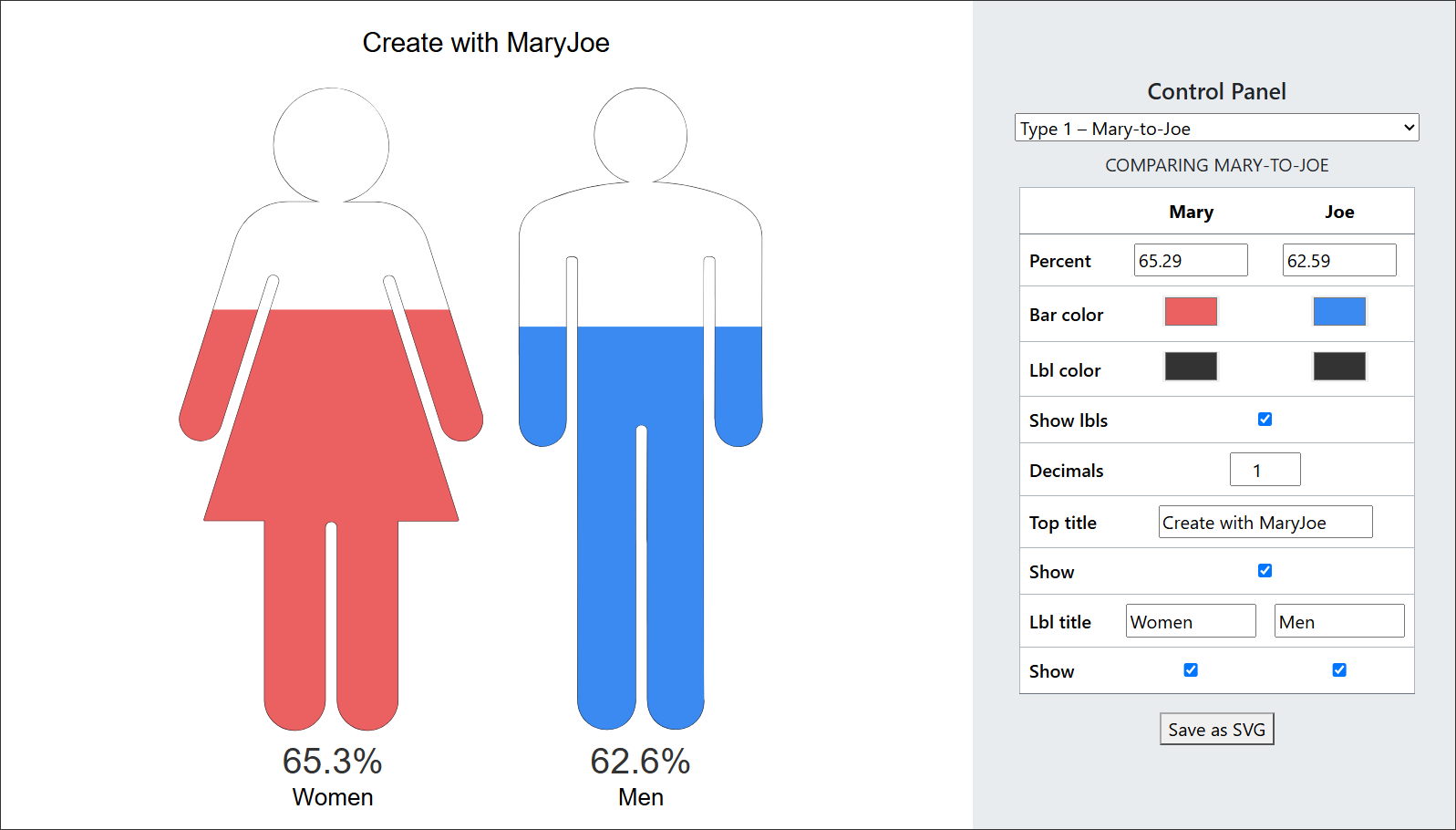
MaryJoe (or MJ) is a dynamic online gender charting tool. With MJ, there are five comparison options. Of course, you need to enter percentages to view the value of your data in graphical form.
After selecting a type and entering values, apply secondary options as necessary. The secondary options include: bar color, label color, decimal places, chart title and label titles.
Note: Everything in the control panel is totally optional. Thus, you can actually save a blank gender pictogram.
The types
So, there are five types of comparison options in MJ:
- Mary-to-Joe
- Mary-to-Mary
- Joe-to-Joe
- Joe only
- Mary only
Percentages
To display a bar for any type, you must enter a percent. Therefore, enter a percentage between 0 and 100, without the percent symbol. Also, you can enter up to two decimal places.
Bar colors
You have the option of applying color to each shape. The color selection box may look different in various browsers. However, you have the option of selection from millions of colors. Additionally, you can manually enter a color code.
Label colors
Label colors work similar to bar colors, except it colorizes the percentage labels below the chart.
Top title
MaryJoe allows you to enter a title at the top of the chart. The chart title displays up to 92 characters.
Label titles
Under each percentage label, you can enter a label title. So, you can have something like 50% of women, or 55% of men. Each label title can have up to 24 characters.
Start using MaryJoe
So, are you ready to start using MaryJoe. If so, then click on the button below.
Requirements: An Internet connection and modern web browser.